What is ILOE Insurance in the UAE?
ILOE stands for Involuntary Loss of Employment insurance, a UAE scheme designed to provide temporary financial support if an eligible employee loses their job for reasons outside their control (subject to the scheme rules).
ILOE is separate from health insurance and car insurance, but it is similarly compliance-driven. Many residents treat it like a “must-keep-active” policy because missed payments can affect eligibility and can lead to penalties.
For official scheme information and access, refer to the ILOE portal.
Who Should Pay for ILOE Insurance?
ILOE is generally intended for employees working in the UAE who fall under the eligibility categories defined by the scheme.
In practice, people who usually need to pay attention to ILOE include:
- Private-sector employees
- Many free zone employees
- UAE residents on an employment visa who are covered by the scheme rules
Because eligibility and exemptions can vary by employment type and role, it is best to confirm your status directly on the official ILOE portal or through your employer’s HR.
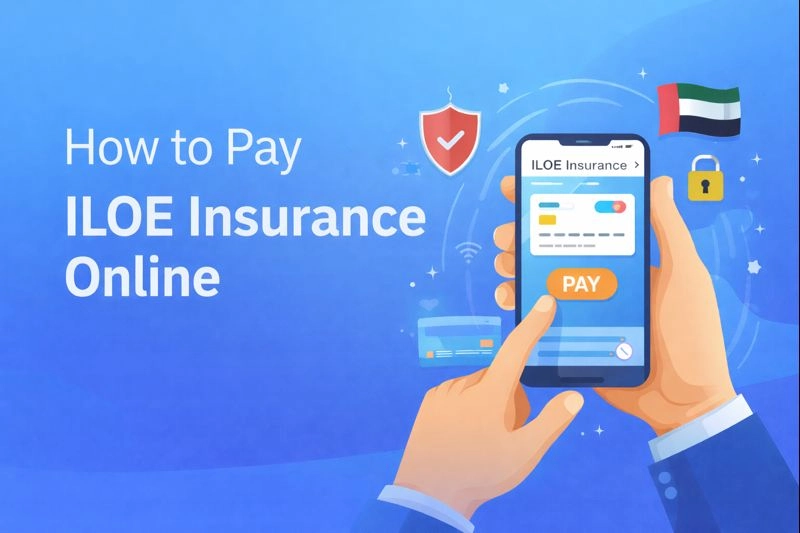
How to Pay ILOE Insurance Online – Step-by-Step Guide
- Go to the official ILOE portal
- Log in with Emirates ID and OTP
- Select the correct subscription category
- Choose monthly or yearly payment (based on what the portal offers)
- Complete payment and save the receipt
- Download or screenshot your confirmation for future reference
Step 1 – Visit the Official ILOE Portal
Open the official website: iloe.ae. Avoid unofficial links shared on social media or messages, especially when making payments.
Tip: Use a secure connection and your own device, and do not save card details on shared browsers.
Step 2 – Log in Using Emirates ID / OTP
Log in with your Emirates ID details and complete OTP verification. If you do not receive the OTP:
- Check that your mobile number is updated in your Emirates ID records
- Try again after a few minutes
- Switch from Wi-Fi to mobile data (or the reverse)
Step 3 – Choose Your Subscription Category
ILOE is commonly structured in categories based on salary bands. Select the correct category carefully because:
- It affects the premium you pay
- It can affect how benefits are calculated if you ever claim
If you are unsure, confirm your basic salary band with HR before you proceed.
Step 4 – Select Payment Duration (Monthly / Yearly)
Choose the payment duration shown in the portal (for example, monthly or yearly options). Many people prefer paying longer durations to reduce the risk of missing a payment.
Before confirming, check:
- Your coverage start and end dates
- The next due date (if applicable)
Step 5 – Complete Online Payment
Proceed to payment and complete the transaction using the methods provided on the portal checkout page.
If the payment fails:
- Try a different browser
- Disable ad blockers for the payment page
- Use a different card if the bank blocks the transaction for security reasons
Step 6 – Download Payment Confirmation
After successful payment:
- Download the confirmation or receipt
- Save a copy in your email or cloud storage
- Keep a screenshot as backup
This proof is helpful if you need to resolve a status mismatch later.
ILOE Insurance Payment Methods Available Online
Payment methods can vary depending on the portal’s payment gateway and updates to the service, but online portals in the UAE commonly support options such as:
- Debit cards and credit cards
- Other digital payment options shown at checkout (availability depends on the portal and bank)
Always rely on what is displayed on the official payment page at the time you pay. If you do not see a method you want, try again later or use a different card.
How Much is ILOE Insurance Premium?
ILOE premiums are designed to be low-cost and are commonly presented by category.
Typical published premium levels for the base scheme are:
| ILOE category | Common monthly premium | Common annual premium |
|---|---|---|
| Category A (lower salary band) | AED 5 | AED 60 |
| Category B (higher salary band) | AED 10 | AED 120 |
Notes:
- Any taxes/fees depend on the portal’s calculation at checkout.
- Always verify the latest premium on the official ILOE portal because scheme details can be updated.
What Happens If You Don’t Pay ILOE Insurance?
If you do not pay (or you miss payments), the most common outcomes are:
- Your ILOE coverage may become inactive or lapse under the scheme rules.
- You may face administrative penalties for non-compliance.
- You may become ineligible to claim benefits if you lose your job.
Because penalties and timelines can change, confirm the latest enforcement rules directly through the ILOE portal.
How to Check ILOE Payment Status Online
To confirm whether your payment has been recorded:
- Go to the ILOE portal
- Log in using your Emirates ID and OTP
- Look for your subscription details and payment status
- Download the certificate/confirmation if available
If your payment shows “pending” for longer than expected, keep your transaction reference and contact the official support channels listed on the portal.
Can You Cancel or Modify Your ILOE Subscription?
Whether you can cancel, change category, or modify payment duration depends on the scheme rules and the status of your subscription.
Practical guidance before you attempt changes:
- Review the terms shown in your portal account
- Check whether refunds are allowed (many government-linked subscriptions are not refundable once activated)
- If your employment status changes (new employer, visa change, leaving the UAE), confirm what action is required through official channels
When in doubt, use the help and contact details provided on iloe.ae so you do not accidentally lose coverage.
Common Issues While Paying ILOE Online (And Solutions)
Here are common problems users face, and what usually fixes them.
| Issue | Why it happens | What to do |
|---|---|---|
| OTP not received | Mobile number mismatch or network delay | Retry, check number updates, switch network, contact official support |
| Emirates ID details not found | Data mismatch or entry error | Re-enter carefully, ensure Emirates ID is valid |
| Payment failed | Bank security block or gateway issue | Try another card, call your bank, try again later |
| Wrong category selected | Salary band misunderstood | Confirm basic salary with HR, correct it in portal if allowed |
| Status not updated after payment | System sync delay | Wait, then re-check, keep receipt and transaction reference |
If you want an advisor to help you manage all your UAE insurance needs in one place (motor, medical, home, life, and more), you can explore InsuranceHub’s online platform at insurancehub.ae.